20. Qiaotong API
Function Introduction
Qiaotong API is an interface provided by Qiaotong software for interaction with external programs. Through Qiaotong API, users can call Qiaotong software functions in external programs to achieve automated analysis, data processing, etc.
Calling Methods
There are two main calling methods for Qiaotong API:
- Direct calling: Users directly call Qiaotong API functions in external programs to control Qiaotong software.
- Indirect calling: Users call Qiaotong API functions in external programs, Qiaotong API then calls Qiaotong software functions to control Qiaotong software.
Interface Documentation
The interface documentation of Qiaotong API details the functions, parameters, return values, and other information of Qiaotong API. Users can call Qiaotong API functions in external programs according to the interface documentation to control Qiaotong software.
Internal Software Calling
File Import and Export
Qiaotong supports Python model file import and export. Users can click File > Import/Export > Python File, and select the file to import or export to complete import/export.
📌Note: Currently Python file import only supports model file import, temporarily does not support running analysis commands
Internal Running Demo
Currently Python environment has been configured by default, no configuration required by default, can directly open Tools > Command Window > Enter Code > Click Run. During running, the default run button is in grayed-out state, automatically restores to clickable state after completion.
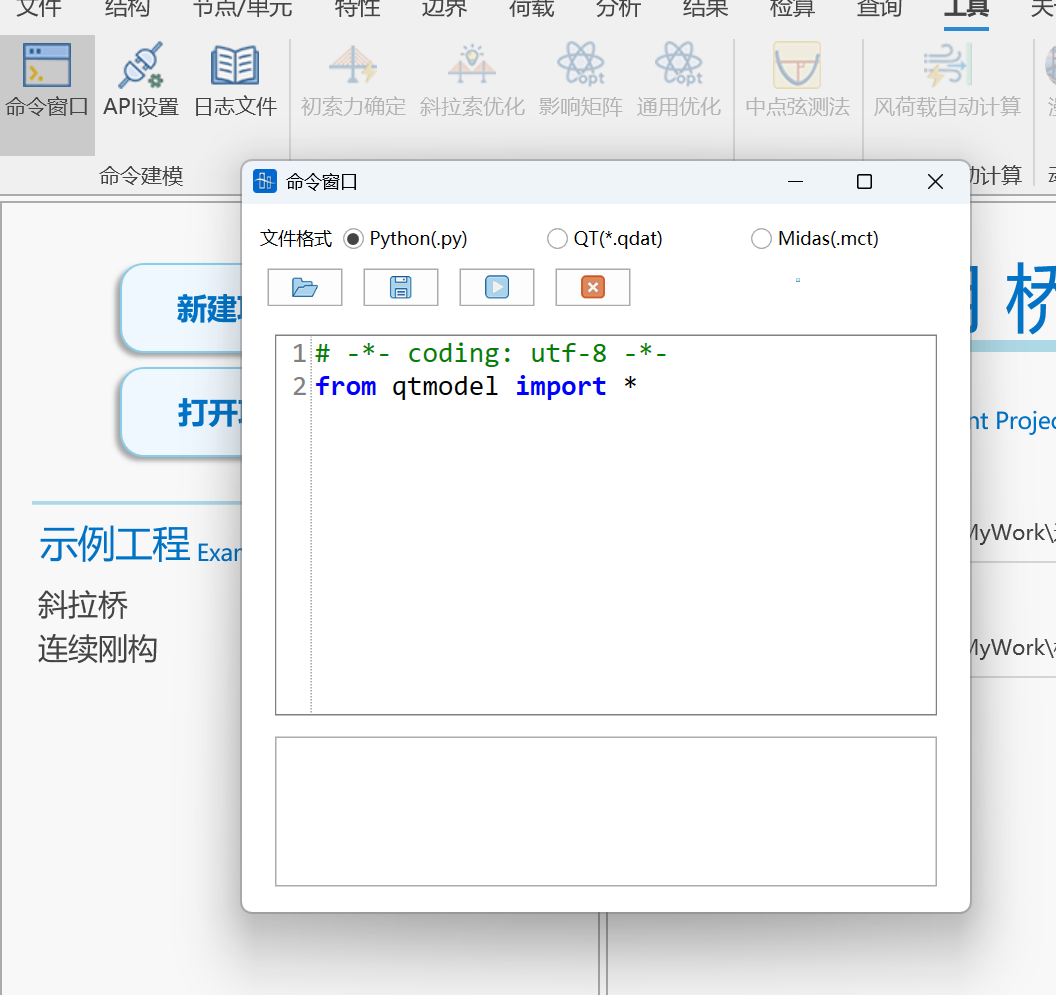
📌Note: Internal running (same for file import) is equivalent to running imported module, please do not use statement if name == "main":
Custom Python Interpreter
Can click Tools > API Settings > Edit button on the right of Python installation path to change Python interpreter. Server is enabled by default as shown below. When calling, can set calling server through mdb.set_url function (default calling is the following address).
Note: When using custom Python, please use pip install qtmodel to install third-party libraries and pay attention to matching the qtmodel version number supported by the current Qiaotong version. Can view the version number corresponding to current Qiaotong version in API settings. Third-party library installation and update related cmd commands are as follows (if environment variable is not added or there are multiple pythons in environment variable, please switch to corresponding Python installation path to run):
# Install third-party library
python -m pip install qtmodel==1.1.13 -i https://pypi.tuna.tsinghua.edu.cn/simple
# Update third-party library
python -m pip install --upgrade qtmodel==1.1.13 -i https://pypi.tuna.tsinghua.edu.cn/simple
Latest version download link: Pypi Official Website Latest version: 1.1.13
mdb class provides a series of methods for processing model data, including all modeling-related operations such as nodes, elements, loads, etc. odb class provides operations related to querying model information and result information. Calling is as follows:
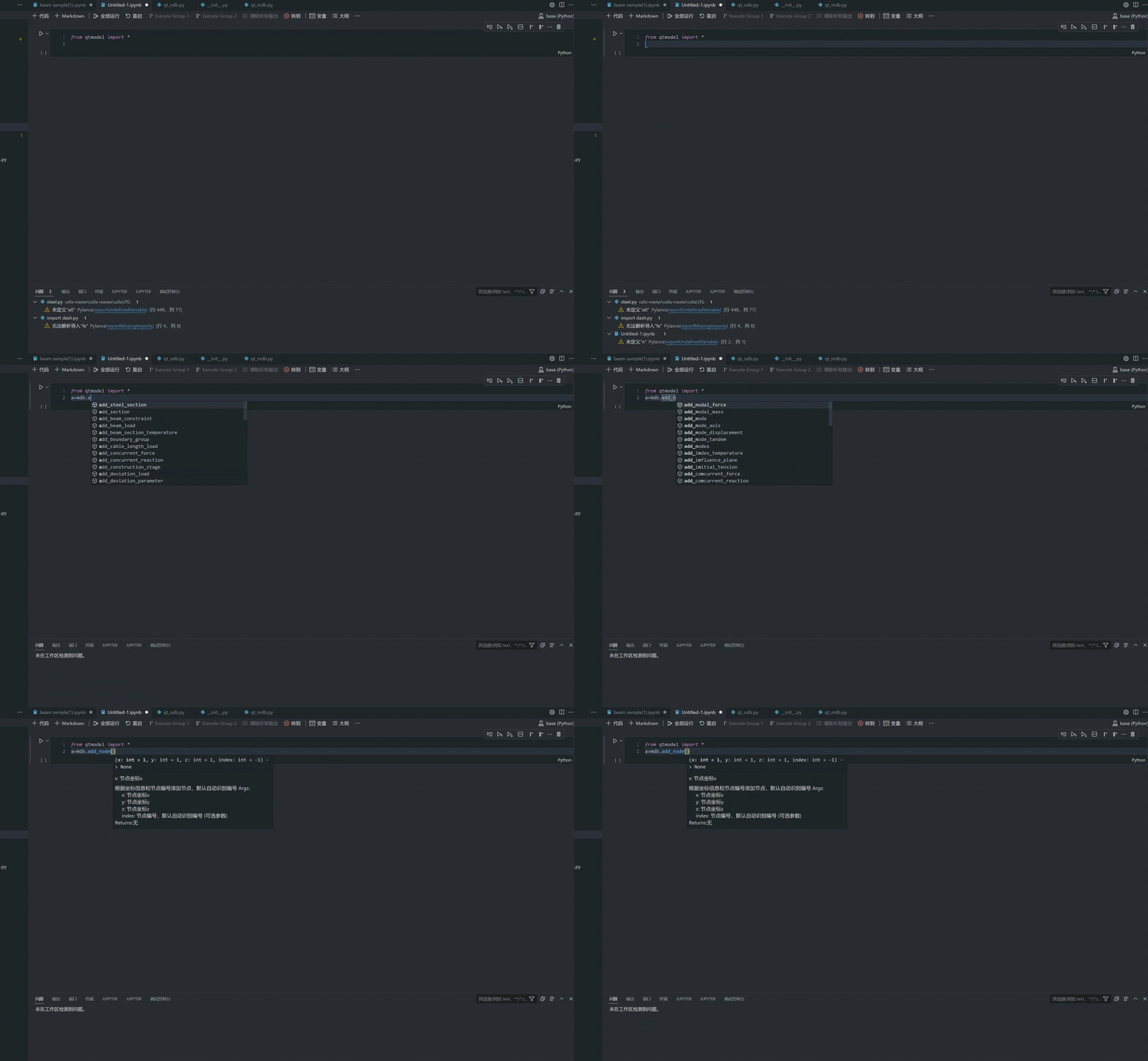
📌Note: If third-party library has been downloaded, please update to the latest version in time
Python Basic Tutorial
External Software Calling
Supports external running and debugging. Can use File > Export > Export Py function. The exported file can be directly run in IDEs such as VSCode. IDE environment can use python39 under Qiaotong download directory (qtmodel library for current version has been built-in). Users can use update_model function to refresh interface real-time data display.
Pycharm Calling Demo
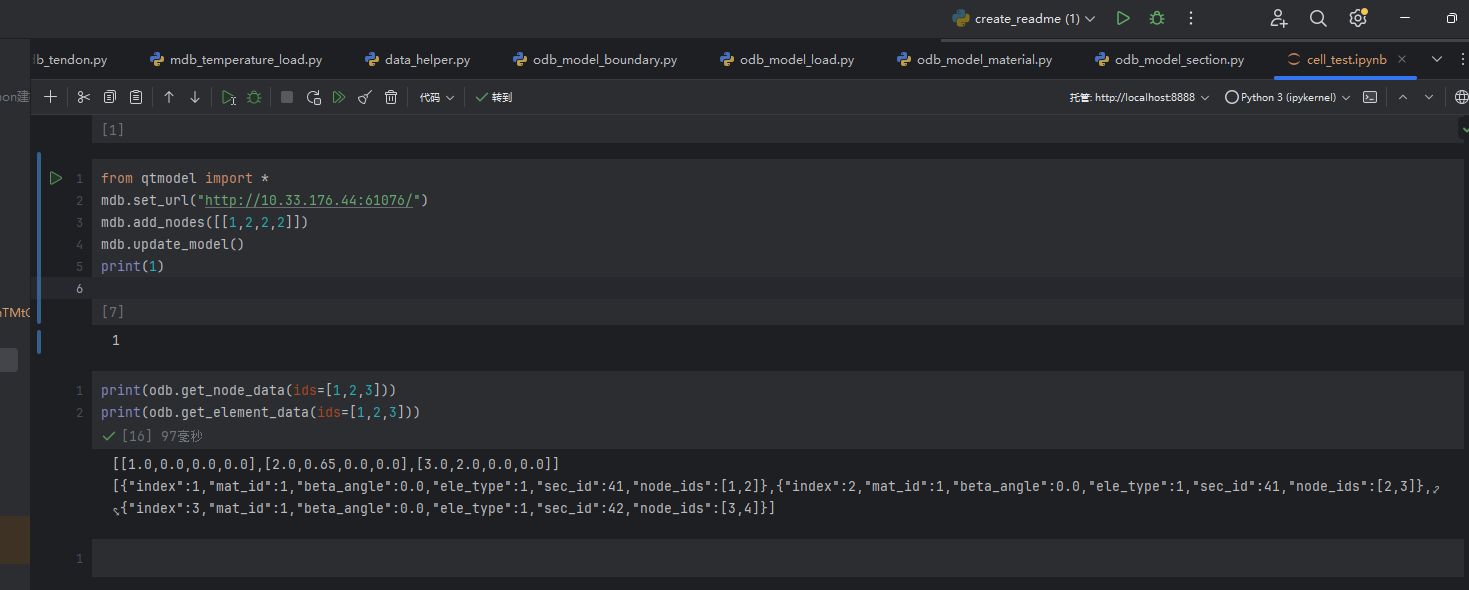
View current Qiaotong local service path. Use set_url function to link Qiaotong software (can omit when default 55125 port), when multiple Qiaotong are running, set address reference Tools > API Settings > Local Server Address
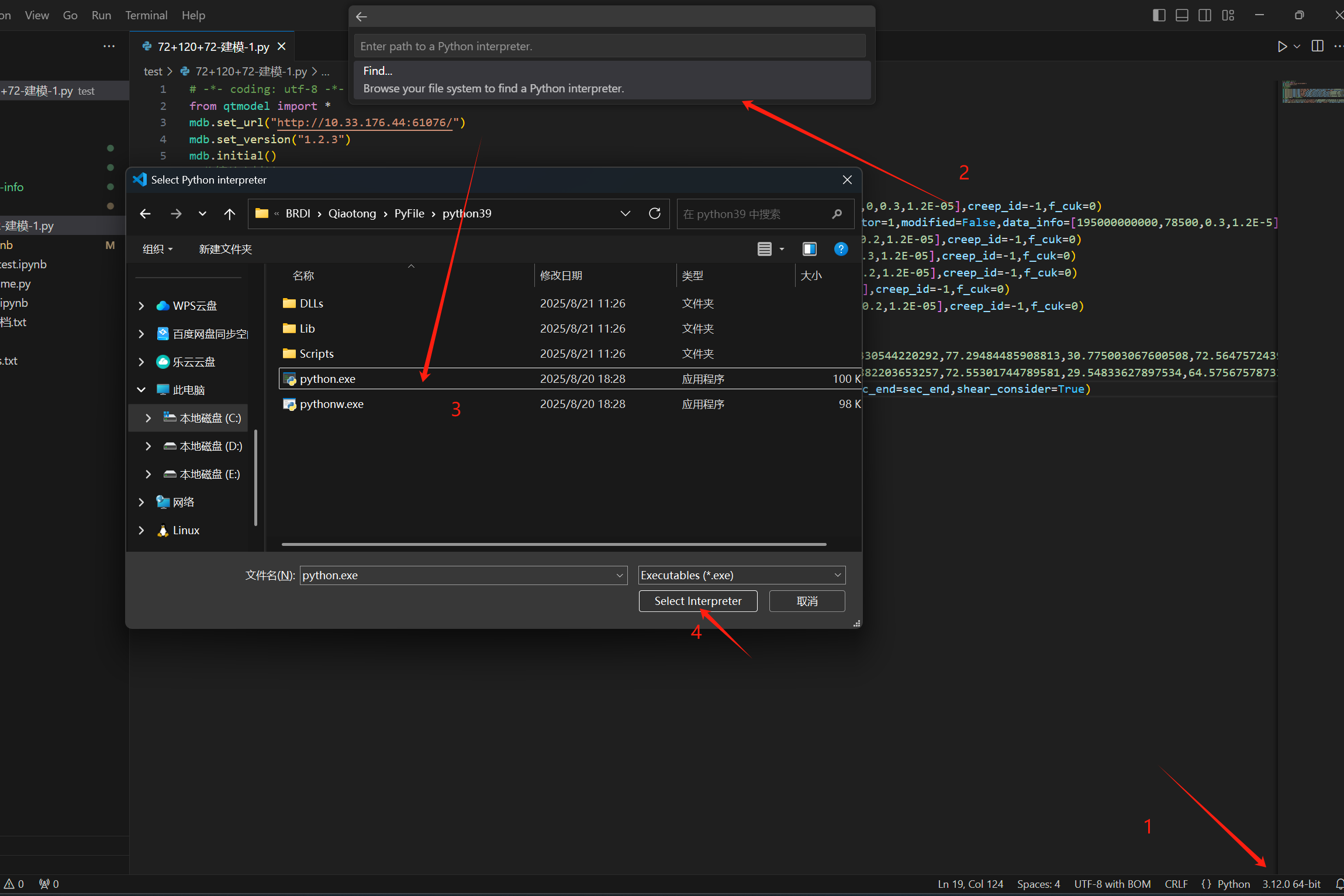
VSCode Interpreter Configuration
When calling from external IDE, can select python.exe in PyFile under Qiaotong installation directory (qtmodel package has been built-in)
Code Optimization Based on AI Code Assistant.mp4
Autolisp Calling Qiaotong
VBA Calling Qiaotong
Video_2025-08-18_00039_20250818_13535729.mp4
Java Program Calling
import java.io.BufferedReader;
import java.io.InputStreamReader;
import java.io.OutputStream;
import java.net.HttpURLConnection;
import java.net.URL;
import java.nio.charset.StandardCharsets;

public class JavaPostExample {
    public static void main(String[] args) {
        try {
            // Create URL object
            URL url = new URL("http://localhost:55125/pythonForQt/");
            // Open connection
            HttpURLConnection connection = (HttpURLConnection) url.openConnection();
            // Set request method to POST
            connection.setRequestMethod("POST");
            // Enable input and output streams
            connection.setDoOutput(true);

            // Set request header Support Python (input command here) and PyFile (input file path here)
            connection.setRequestProperty("Content-Type", "Python");
//            connection.setRequestProperty("Content-Type", "PyFile");

 body
            String jsonInputString =            // Create request """
                    from qtmodel import*
                    mdb.initial()
                    mdb.add_nodes([[i+1,2,3]for i in range(200)])
                    mdb.update_model()""";
//            String jsonInputString = "C:\Users\Desktop\PythonCode\Continuous Steel Beam Modeling.py";

            // Send request body data
            try (OutputStream os = connection.getOutputStream()) {
                byte[] input = jsonInputString.getBytes(StandardCharsets.UTF_8);
                os.write(input, 0, input.length);
            }

            // Get response
            int status = connection.getResponseCode();
            System.out.println("Response Code: " + status);

            // Handle different cases based on response code
            if (status >= 200 && status < 300) {
                // Successful response
                try (BufferedReader br = new BufferedReader(
                        new InputStreamReader(connection.getInputStream(), StandardCharsets.UTF_8))) {
                    StringBuilder response = new StringBuilder();
                    String responseLine;
                    while ((responseLine = br.readLine()) != null) {
                        response.append(responseLine.trim());
                    }
                    System.out.println("Response Body: " + response.toString());
                }
            } else if (status == 400) {
                // 400 error, read error information
                try (BufferedReader br = new BufferedReader(
                        new InputStreamReader(connection.getErrorStream(), StandardCharsets.UTF_8))) {
                    StringBuilder errorResponse = new StringBuilder();
                    String errorLine;
                    while ((errorLine = br.readLine()) != null) {
                        errorResponse.append(errorLine);
                    }
                    System.out.println("Error 400 - Bad Request: " + errorResponse.toString());
                }
            } else {
                // Other error status codes
                System.out.println("Error: HTTP " + status);
                // Try to read error information
                try (BufferedReader br = new BufferedReader(
                        new InputStreamReader(connection.getErrorStream(), StandardCharsets.UTF_8))) {
                    StringBuilder errorResponse = new StringBuilder();
                    String errorLine;
                    while ((errorLine = br.readLine()) != null) {
                        errorResponse.append(errorLine);
                    }
                    System.out.println("Error Details: " + errorResponse.toString());
                } catch (Exception e) {
                    System.out.println("Could not read error details");
                }
            }

        } catch (Exception e) {
            e.printStackTrace();
        }
    }
}
BimBase Calling
Configure the above file into BIMBase custom plugin, or directly run after configuring bimbase development environment to import current opened model into BIMBase
bimbase Import Qiaotong Model.mp4
Cross-Host Calling in LAN
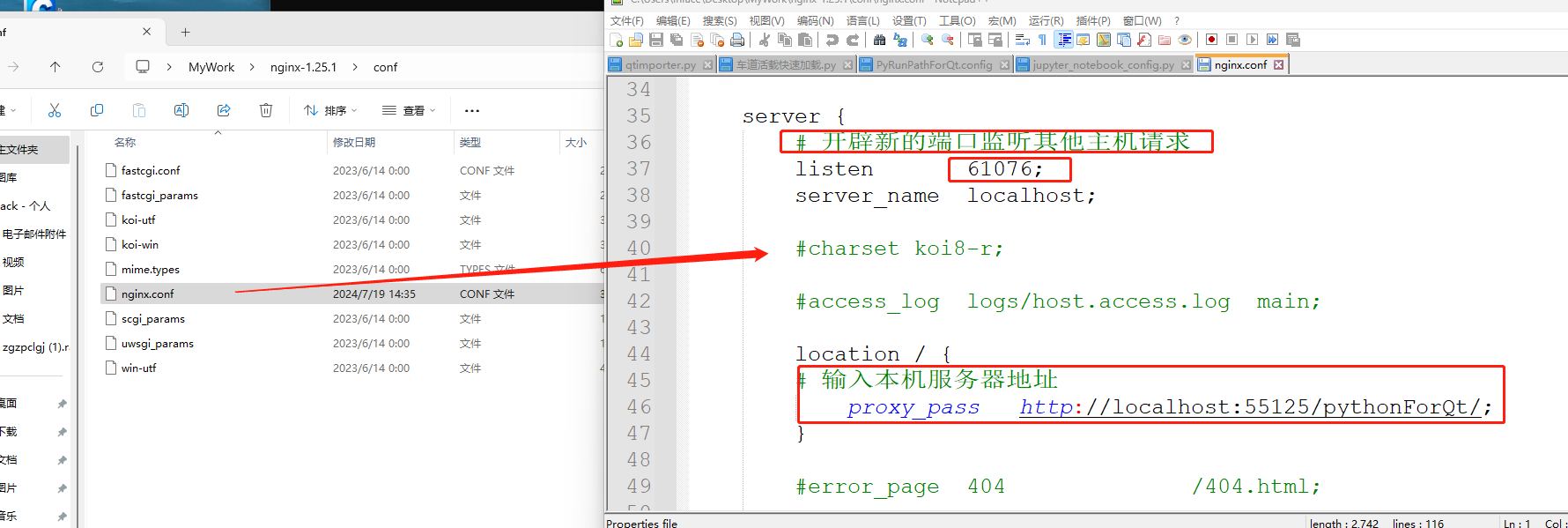
After extracting, configure listening port and local Qiaotong server address, run nginx.exe file
-
Configure conf file
conf configurationevents {
worker_connections 1024;
}
http {
client_max_body_size 100m;
client_body_timeout 1200s;
client_header_timeout 1200s;
send_timeout 1200s;
# ---- Reverse proxy timeout and cache ----
proxy_connect_timeout 1200s;
proxy_send_timeout 1200s;
proxy_read_timeout 1200s;
proxy_buffering off; # Close proxy buffering, suitable for large requests/streaming
proxy_request_buffering off; # Reduce disk writing when uploading large files
server {
# Open new port to listen to requests from other hosts
listen 61076;
server_name localhost;
client_max_body_size 100m;
location / {
client_max_body_size 100m;
# Input local server address
proxy_pass http://localhost:55125/pythonForQt/;
}
}
}
-
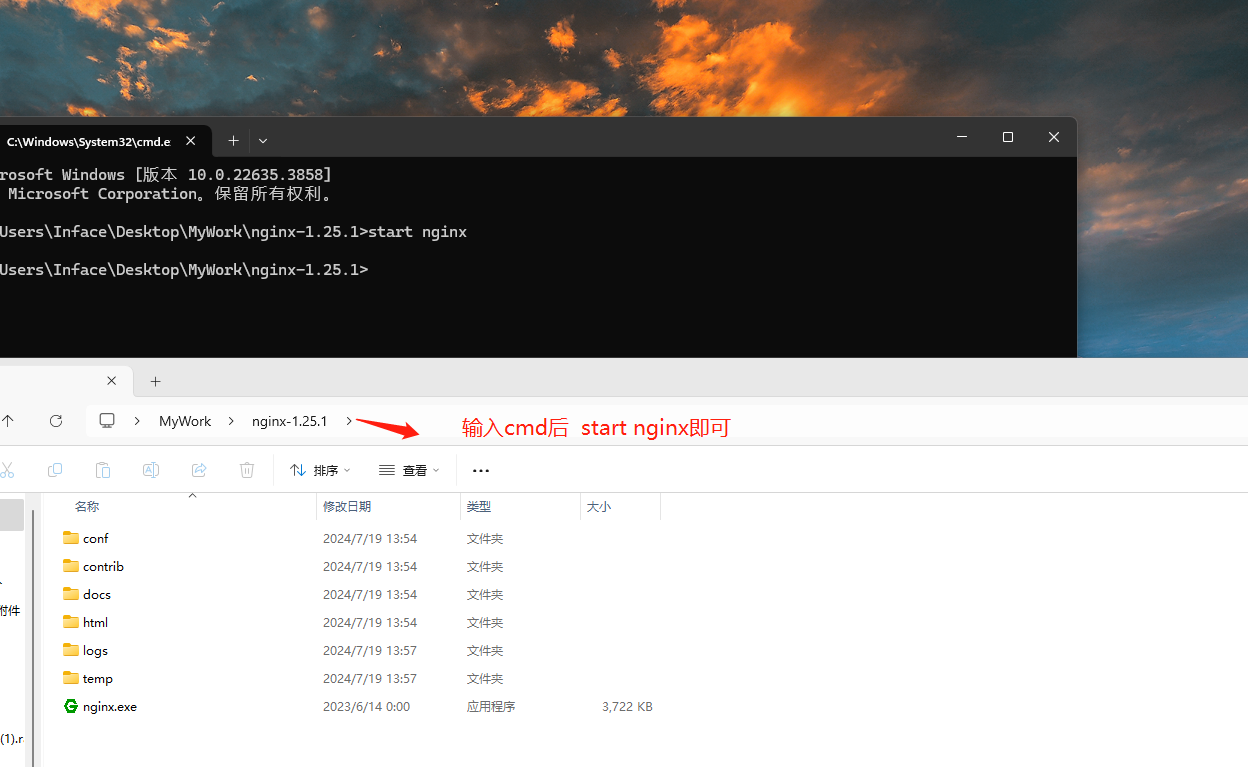
Start nginx service
-
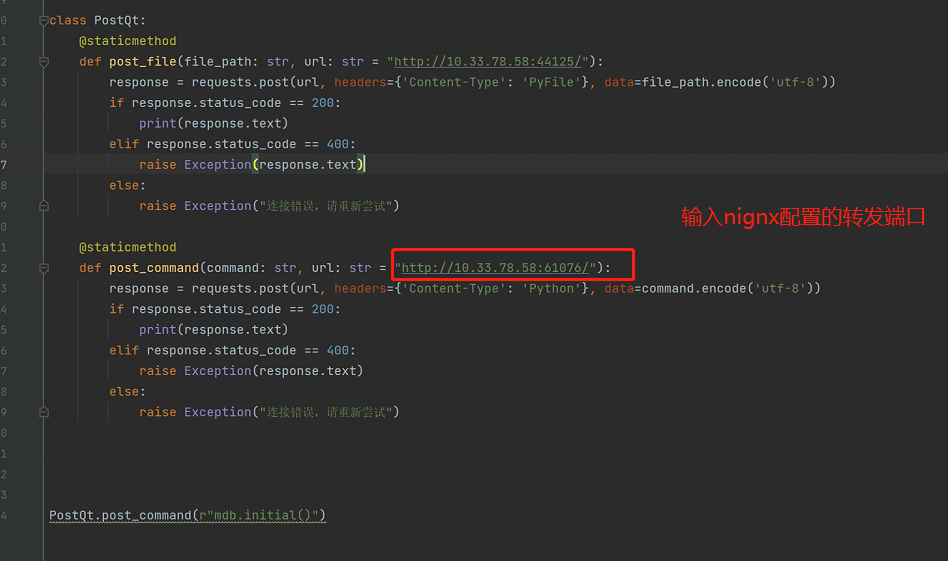
Other hosts in LAN call post command, just input called host address and nignx port to complete calling
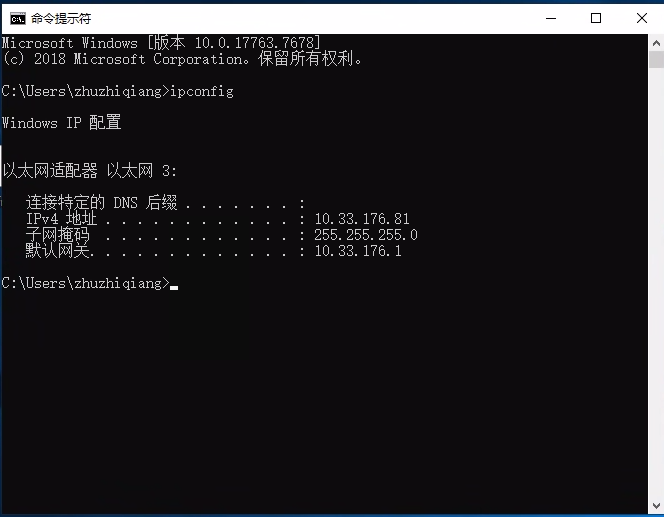
IP Address Query Method
According to Qiaotong device, after running cmd ipconfig